


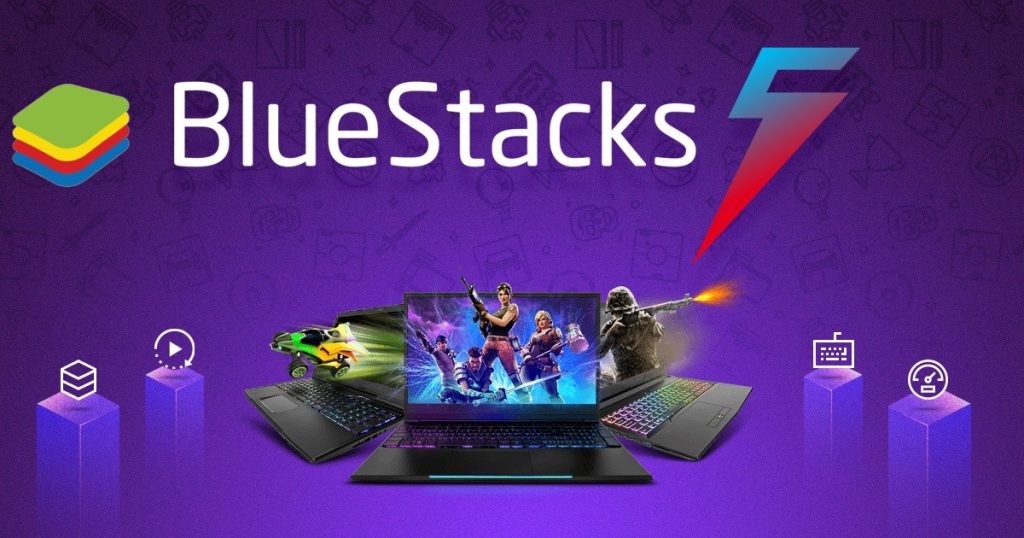
Best gaming emulator technology has revolutionized the way players experience games across devices. From mobile titles like PUBG Mobile and Genshin Impact to classic console games, emulators allow users to enjoy superior performance on a PC. The combination of powerful hardware, customizable controls, and compatibility makes emulators an essential tool for modern gamers.
When I first used BlueStacks for PUBG Mobile on my desktop, the difference was immediately noticeable. Smooth graphics, precise keyboard and mouse controls, and no battery drain made me wonder why I had ever stuck to a phone screen. That experience captures why gamers now seek the best gaming emulator for their setups.
What makes the best gaming emulator essential for modern players
A gaming emulator replicates a console or mobile environment on a PC. This allows gamers to run games not natively designed for their computer. Beyond simply playing, emulators provide enhanced control, higher resolution, and smoother performance than many handheld devices.
Using an emulator eliminates limitations of small screens and restricted controls. Multiplayer games benefit from faster response times, improved aiming, and multitasking capabilities. Developers and casual gamers alike find them indispensable.
How gaming emulators evolved over the years
Early emulators were slow, unstable, and prone to crashes. They often required heavy configuration and offered limited game support. However, modern best gaming emulators now combine performance, ease of use, and compatibility, making them accessible to anyone.
Technological advances like hardware acceleration and virtualization have enabled emulators to run games at higher frame rates with minimal lag. Today, emulators cater to casual gamers, competitive players, and developers simultaneously.
Top names in the gaming emulator world
Several names dominate the best gaming emulator category. BlueStacks is widely known for reliability and user-friendly design. NoxPlayer attracts gamers who prefer customization and scripting options. LDPlayer is lightweight and optimized for high-performance gameplay.
For console enthusiasts, Dolphin Emulator lets users play Nintendo GameCube and Wii games on a PC. PCSX2 focuses on PlayStation 2 titles. Each of these options serves unique gaming needs.
Why professional gamers prefer emulators
Competitive gamers choose emulators for precision and control. Mobile games on emulators allow keyboard and mouse setups, giving an edge in aiming and reaction time. High-end PCs deliver stable frame rates, avoiding stutters and lags common on phones.
Many eSports tournaments now even allow emulator usage. This trend emphasizes the growing role of the best gaming emulator in competitive gaming circles.
Performance advantages over native mobile gaming
PC hardware vastly outperforms mobile devices. Emulators take advantage of this by allocating CPU, GPU, and RAM efficiently. This results in smoother graphics, faster loading times, and improved game stability.
Multitasking is another advantage. Gamers can run multiple applications while gaming, such as streaming software, voice chat, or monitoring tools. The emulator integrates mobile convenience with desktop power.
Customization and personalization features
One of the reasons players seek the best gaming emulator is control over settings. Key mapping allows custom layouts for specific games. Frame rates, resolution, and graphics quality can be adjusted to match hardware capabilities.
Advanced emulators support macro commands and scripts. This allows repetitive actions to be automated, enhancing gameplay efficiency. Personalization ensures each gamer enjoys a tailored experience.
Security and safety considerations
Security is a crucial factor when choosing an emulator. Reputable options provide sandboxed environments and regular updates to prevent malware or unauthorized access.
Downloading emulators from official sources ensures system safety. Avoid pirated versions or third-party downloads. Maintaining secure software protects both personal data and the computer system.
Gaming emulators and streaming culture
Content creators rely heavily on emulators. Screen recording, live streaming, and tutorial creation are easier on PCs. Smooth gameplay without frame drops improves production quality.
Platforms like Twitch and YouTube benefit from emulator-based gameplay. Gamers can broadcast mobile games seamlessly on larger screens. This has boosted the popularity of emulators among streamers.
Compatibility and app support
Modern best gaming emulators support millions of mobile games. Google Play integration ensures access to apps directly within the emulator. Console emulators handle ISO or ROM files for game playback.
Regular updates improve game compatibility. Even the latest mobile and console titles are now playable with minimal adjustments. This adaptability is a major reason for emulator growth.
Why developers love emulators
Game developers use emulators for testing and debugging. Running an app across multiple device profiles helps identify UI and performance issues.
Testing on a PC is faster than installing apps on multiple phones. Developers can simulate different screen sizes, Android versions, or console configurations efficiently.
Cross-platform convenience
Emulators allow users to switch seamlessly between devices. Game progress syncs via cloud or account systems, enabling continuity.
This cross-platform flexibility improves both productivity and gaming enjoyment. Players can continue sessions from PC to phone or vice versa.
Performance optimization tips
Allocating appropriate CPU cores and RAM improves emulator stability. Hardware virtualization ensures smoother gameplay. Updating graphics drivers enhances rendering and responsiveness.
Tweaking settings to match game requirements ensures peak performance. The best gaming emulator lets users adjust these parameters freely.
The role of virtualization in emulation
Modern emulators utilize virtualization technologies like Intel VT-x and AMD-V. These enable hardware acceleration and reduce lag, giving a near-native gaming experience.
Enabling virtualization in BIOS settings unlocks maximum potential. Virtualization is now standard for high-performance emulation.
Accessibility advantages
Emulators offer accessibility features for players with disabilities. Large screens, keyboard shortcuts, and voice input improve usability.
This inclusivity allows everyone to enjoy games comfortably. It demonstrates how emulators enhance both gameplay and accessibility.
Limitations to consider
While powerful, emulators have limits. Low-end PCs may struggle with resource-intensive games. Some apps implement anti-emulator restrictions.
Understanding these constraints ensures expectations are realistic. Despite this, the best gaming emulator still provides far more flexibility than native devices.
Future trends in gaming emulation
Cloud gaming, AI optimization, and official PC ports are shaping the future. Emulators are integrating better graphics, AI assistance, and more seamless compatibility.
The best gaming emulator of tomorrow will be faster, smarter, and more user-friendly. Performance, customization, and cross-platform support will continue to improve.
Daily convenience and productivity
Using an emulator reduces device juggling. Players can handle communication, streaming, and gaming in one interface.
This convenience streamlines both entertainment and productivity. It allows gamers to focus on gameplay and content creation without distractions.
Conclusion
The best gaming emulator has transformed digital gaming culture. By combining PC power, customizable controls, and wide compatibility, it offers a unique experience impossible on standalone devices.
From casual gaming to professional esports, emulators provide a versatile platform. As technology evolves, their role in the gaming ecosystem will only expand.
Read also:
indiana pacers vs oklahoma city thunder timeline
oklahoma city thunder vs pacers timeline
pacers vs oklahoma city thunder timeline
new orleans pelicans vs lakers match player stats